Configuration
To configure Ibexa CDP, use the ibexa.system.<scope>.cdp configuration key:
1 2 3 4 5 6 7 8 9 10 11 12 13 14 15 16 17 18 19 20 21 22 23 24 25 26 27 28 | |
account_number- a number obtained from Accounts settings in Ibexa CDP dashboardstream_id- stream ID generated when importing data from the stream file in Data Manageactivations- activation details. You can configure multiple activations. They have to be of typeIbexain Ibexa DXP dashboardclient_idandclient_secret- client credentials are used to authenticate against the Webhook endpoint. Make sure they're random and securesegment_group_identifier- a location to which CDP data is importedmembership.activation_idandmembership.api_key- credentials for the CDP Membership API, required for anonymous user segmentationmembership.base_url- base URL of the CDP Membership API (default:https://cdp-api.raptorsmartadvisor.com)membership.timeout- timeout in seconds for Membership API requests (default:5)
Account number
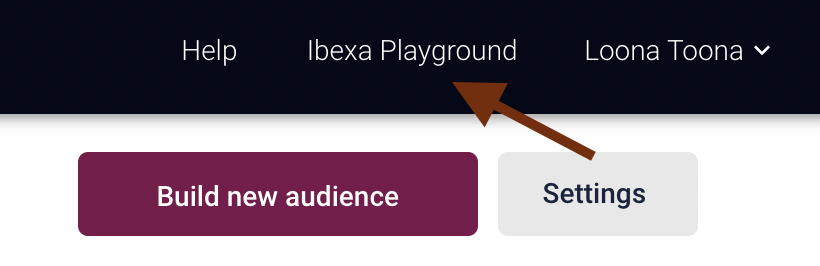
Now, fill in the account number. Log in to Ibexa CDP and in the top right corner, select available accounts.
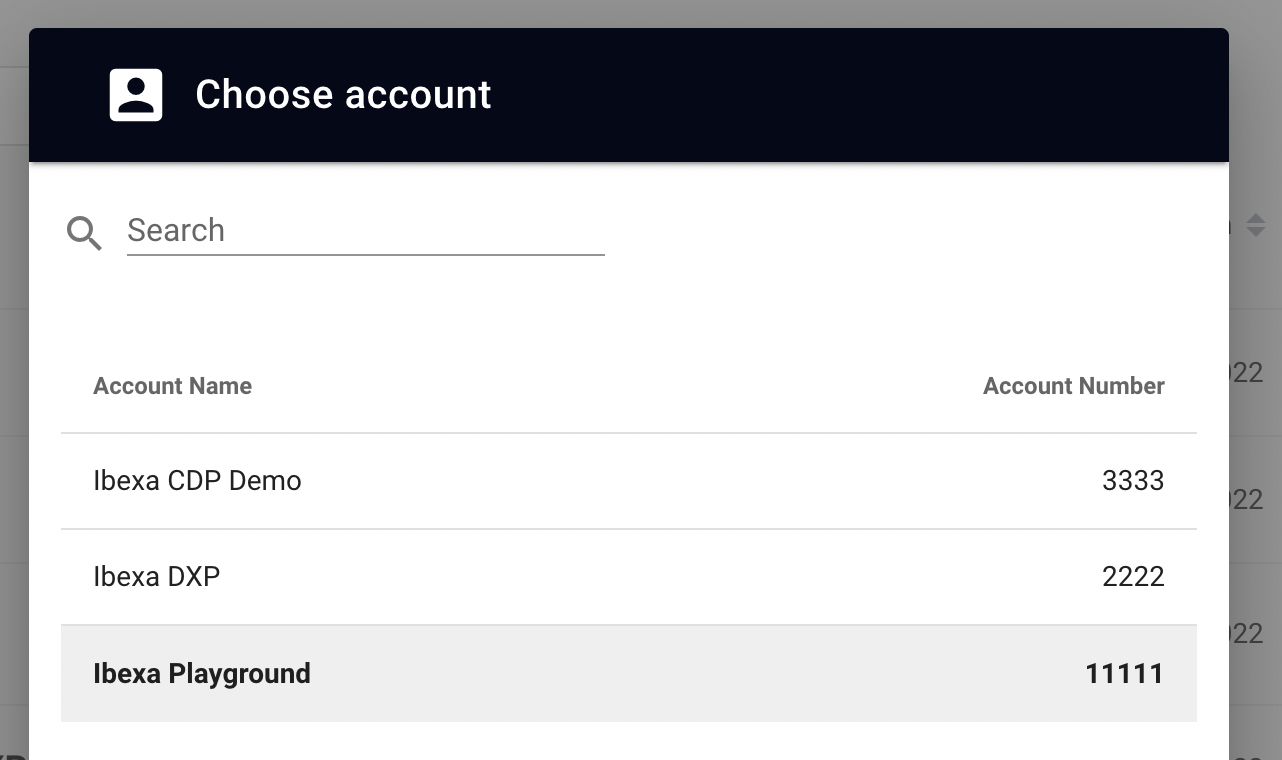
A pop-up window displays a list of all available accounts and their numbers.
Segment group
Create a segment group in the back office. It serves as a container for all segments data generated by Ibexa CDP. Go to Admin -> Segments and select Create. Fill in name and identifier for a segment group. Choose wisely, as once connected to CDP segment group cannot be changed.
Ibexa CDP segment group
After you create the segment group in the back office and connect it to Ibexa CDP, you cannot change it in any way, including edit its name.
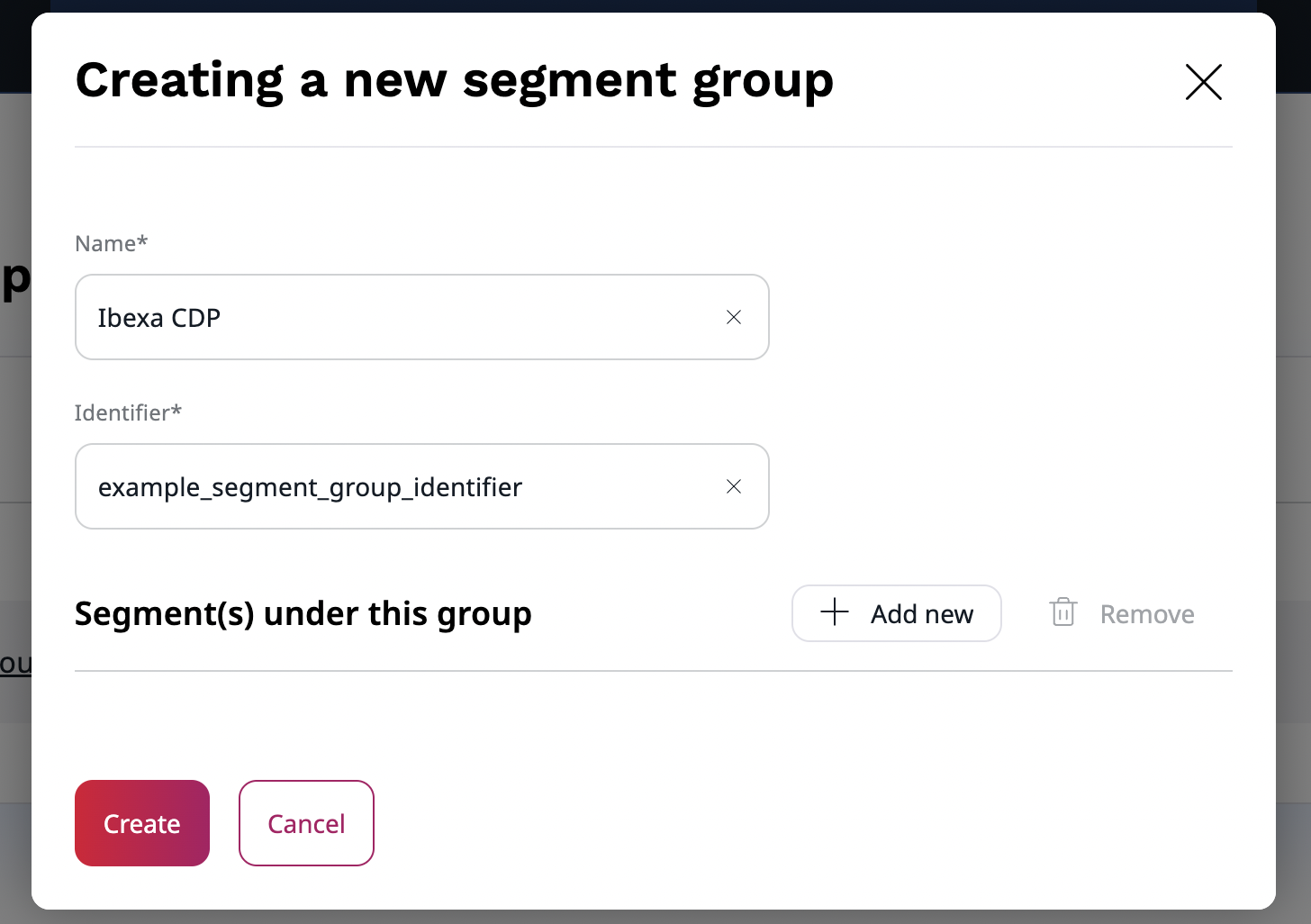
Next, add a segment group identifier to the configuration.
Anonymous user segmentation
To set up segmentation for Anonymous visitors, execute the following steps:
Set up CDP API activation
Create an activation of type "CDP API" in the Raptor dashboard. For instructions, see CDP API activations in Raptor documentation.
Configure website tracking dataflow
Set up a "Website tracking" dataflow with coid (cookie ID) as the person identifier so that Raptor can use the tracking data in the CDP.
For more information, see Website tracking dataflow in Raptor documentation.
Configuration
First, add the membership.activation_id and membership.api_key credentials to your ibexa_cdp configuration, using the values for CDP API activation.
To control how long resolved segment memberships are cached per visitor, use the ibexa_segmentation.anonymous.cache configuration key:
1 2 3 4 5 6 7 | |
enabled- whether to cache CDP segment results per visitor cookie. Disabling this causes an additional API call to Raptor on every requestttl- how long resolved segment results are cached per visitor (in seconds)pool- the Symfony cache pool used to store the results